
Dog Tips and Tricks
How to Create a Doodle Memory Grid Portrait with ChatGPT


I’ve been seeing the Doodle Memory Grid Portrait trend on Threads, and I just had to try it with photos of my golden retrievers, KB and KENZO.
Since it’s October, I thought their Halloween photos would be perfect for testing this fun ChatGPT photo trend. I also tried one of my favorite fall photos of them surrounded by beautiful orange marigolds.
I wasn’t sure how the illustrations would turn out, but I loved seeing how ChatGPT picked out little details from each photograph and turned them into cute, hand-drawn doodles.
Now I have three Doodle Memory Grid Portraits of KB & KENZO, and I’m sharing how you can create your own.
What Is a Doodle Memory Grid Portrait?
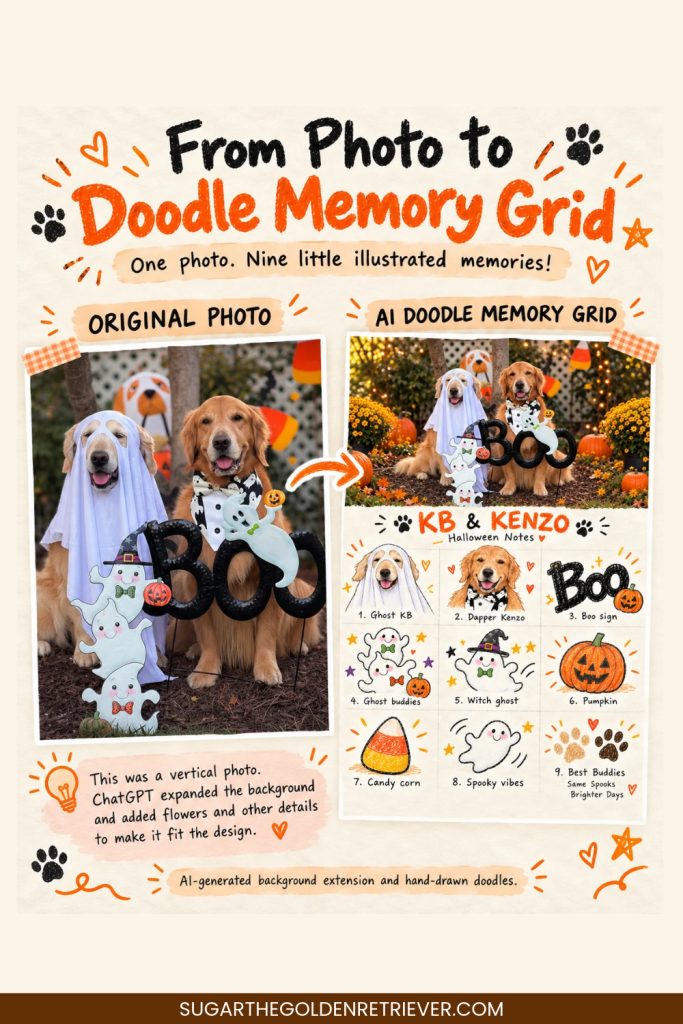
A Doodle Memory Grid Portrait is an AI photo transformation that combines your original photograph with a collection of hand-drawn illustrations.
The finished poster has two sections:
Top half: Your original photograph, with subtle adjustments to fit the design.Bottom half: Nine doodle illustrations arranged in a 3×3 grid that highlight memorable details from the photograph.
The doodles have a playful, sketchbook-inspired appearance, with colored-pencil textures, imperfect outlines, and little handwritten notes.
What I especially like about this trend is that the illustrations tell a small story about the original photo. It’s almost like creating a scrapbook page without drawing everything yourself.
BOO Halloween Photo Gets a Doodle Makeover
For the first photo, I chose one I captured myself.
KB is dressed as a friendly ghost, while KENZO is wearing his adorable Halloween-ghost bow tie. They’re sitting beside a BOO decoration with several smiling ghost characters.
KB’s ghost costume always makes me smile, especially because you can still see his happy face peeking through!
ChatGPT turned their costumes, the BOO sign, and the little ghost decorations into nine separate illustrations.
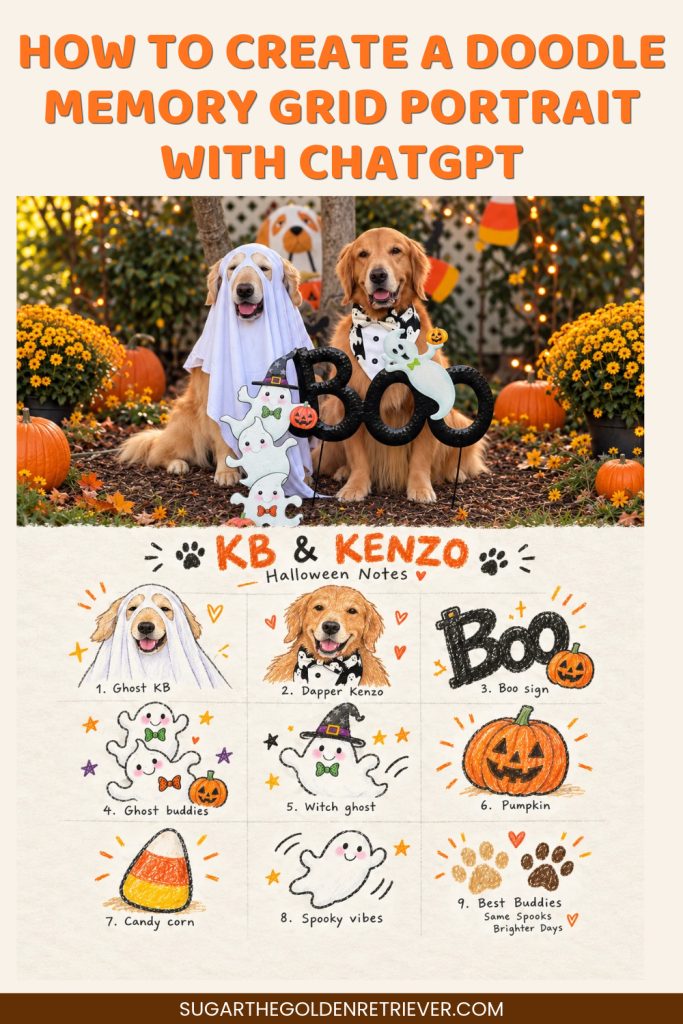
I especially loved the doodle of KB wearing his ghost costume. It captured one of my favorite details from that photo.
Turning Spooky Halloween Photo Into Doodle Memories
For my second Doodle Memory Grid Portrait, I used another Halloween photograph of KB & KENZO taken by the talented photographer Anabel.
The photo has a spooky forest background, glowing pumpkins, skeleton decorations, and, of course, my two Goldens.
KB is happily resting beside a skeleton, while KENZO is busy investigating another skeleton’s face. I love how the original photo captures their different personalities!
When I uploaded the photo to ChatGPT, it transformed those Halloween details into little doodles, including the skeletons, spooky trees, bats, pumpkins, and the two dogs.
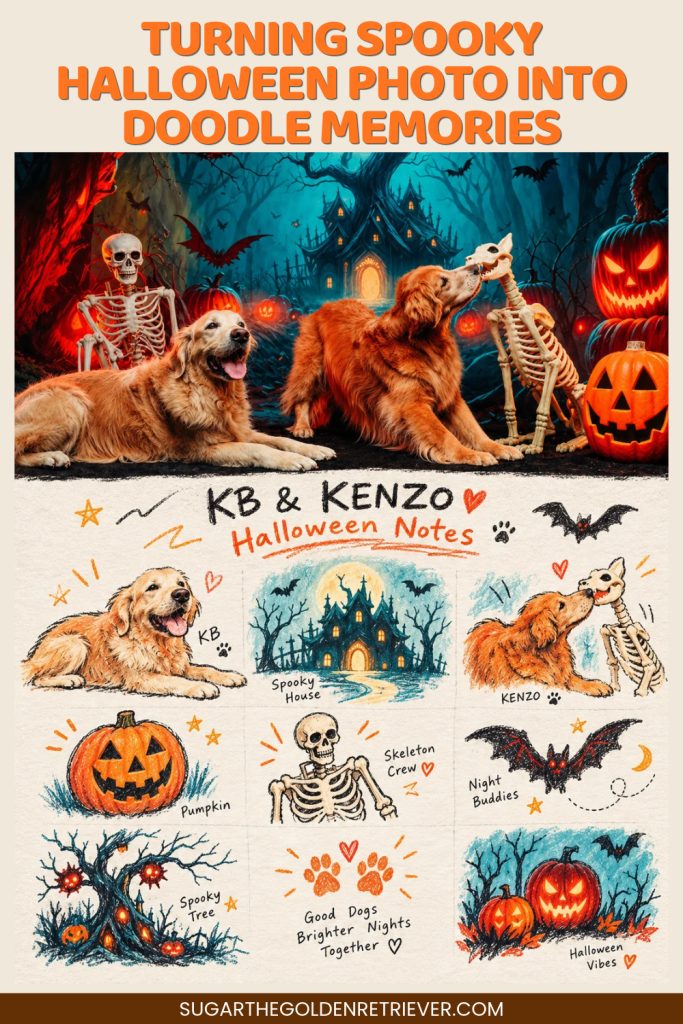
The illustrations reminded me of a cute Halloween storybook. It was such a fun way to give this special photo another look.
From Halloween to Fall: Our Marigold Memories
Of course, I couldn’t stop at Halloween.
I wanted to see how the same prompt would work with a completely different photograph, so I uploaded a fall photo I captured of KB & KENZO surrounded by beautiful orange marigolds.
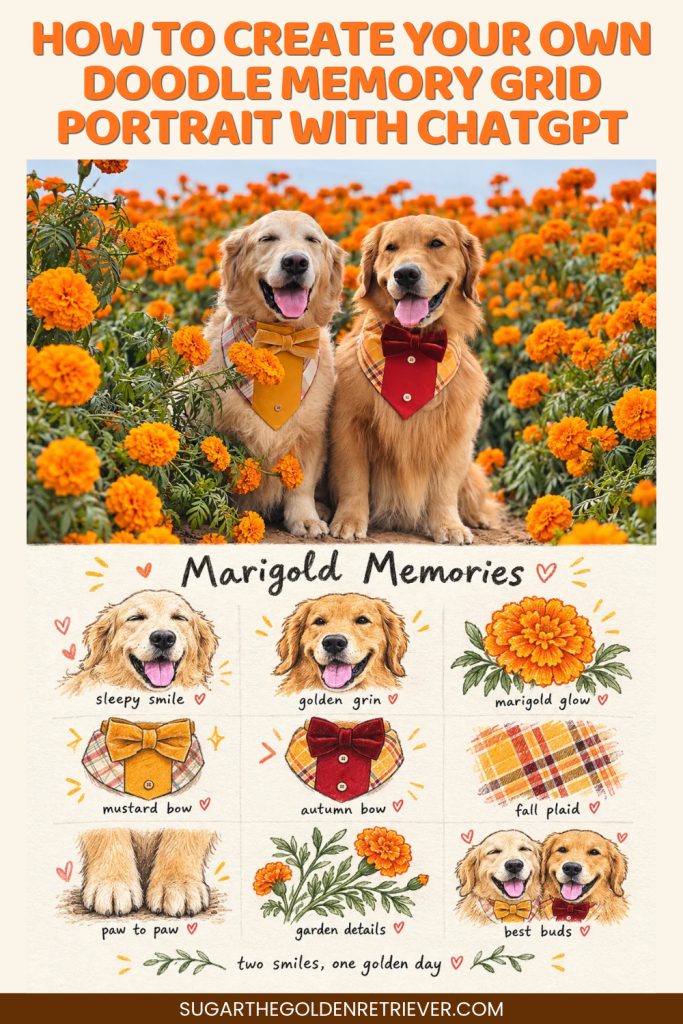
Both were wearing their fall-themed bow tie outfits, and I just love their happy expressions in this photo.
This transformation turned out especially cute!
ChatGPT illustrated their smiling faces, colorful bow ties, marigold flowers, and even their paws.
My favorite detail is the little handwritten message at the bottom:
Two smiles, one golden day.
That simple phrase made the poster feel even more special to me.
How to Create Your Own Doodle Memory Grid Portrait with ChatGPT
If you’d like to try this AI photo trend, here’s how I created mine.
1. Choose a favorite photograph. It can be a photo of your dog, family, friends, a vacation, flowers, or another memorable moment.2. Open ChatGPT. Start a new chat and upload your photograph.3. Copy and paste the Doodle Memory Grid Portrait prompt. The prompt gives ChatGPT instructions for creating the photograph-and-doodle layout.4. Generate your portrait. Let ChatGPT create your illustrated memory poster.5. Review the results. Check the details, especially your subject’s appearance and any handwritten words. You can request adjustments if something doesn’t look quite right.
That’s it!
You can also upload several photographs. The prompt asks ChatGPT to create a separate poster for each image rather than combining them into one collage.
My Photo Tips for Better Doodle Memory Grid Portraits
After trying the prompt with KB & KENZO’s photographs, I have a few suggestions.
Start with a horizontal photograph. I found that horizontal photos work well with this design. Since the finished poster is vertical, ChatGPT has room to arrange the photo in the upper section.
Be aware that vertical photos may be expanded. If you upload a vertical photograph, ChatGPT may slightly extend the surrounding scenery to fit the poster. Always check that your subject still looks like the original.
Choose photos with interesting details. Colorful clothing, decorations, flowers, and other distinctive elements give ChatGPT more inspiration for the nine illustrations.
Look closely at the finished artwork. AI can sometimes change small details, facial expressions, or lettering. If that happens, try regenerating the image or refining your instructions.
Most importantly, have fun experimenting! Every photograph has its own little details that can become part of the illustrated memory grid.
Get the Doodle Memory Grid Portrait ChatGPT Prompt
I first discovered this trending idea on Threads and thought it would be fun to try with KB & KENZO’s photographs.
I rewrote and adapted the prompt so it would be easy to use with different types of photos, not just dogs or Halloween pictures.
ChatGPT PROMPT for Doodle Memory Grid Portrait
Create a Doodle Memory Grid Portrait from my uploaded photo(s)
Transform each uploaded photograph into a beautifully designed, editorial-style keepsake poster that combines realistic photography with playful, hand-sketched illustrations.
If I upload several photos, create a separate finished poster for each one. Do not merge different photographs into a single design.
1. Poster Format & Layout
Use a 3:4 vertical aspect ratio with two equally sized horizontal sections.
* Upper section (50%): Original photograph* Lower section (50%): Illustrated memory grid
Both sections should complement each other, creating one cohesive visual story.
2. Upper Section — Preserve the Original Photograph
Feature the uploaded photo as the main image, maintaining the subjects’ authentic appearance, facial features, body proportions, poses, textures, and expressions.
Preserve the original atmosphere, colors, natural lighting, and shadows.
Apply only subtle adjustments to give the photograph a sophisticated editorial finish, similar to a fine-art photography publication or collectible magazine print.
If additional space is needed to fit the layout, extend the surrounding scenery naturally. Never stretch, reshape, or significantly modify the original subjects.
3. Lower Section — Nine Illustrated Memories
Carefully observe the photograph and select nine distinctive visual details that best represent its story, personality, setting, and mood.
Reimagine these details as nine charming, simplified illustrations arranged in a relaxed 3×3 memory grid.
Possible subjects include people, animals, expressions, gestures, clothing, accessories, meaningful objects, architectural details, nature, food, activities, or small background elements.
You may also include simple emotional symbols that reflect the moment.
Each illustration should represent something recognizable or meaningfully connected to the photograph above.
Do not recreate the entire photograph as a drawing. Instead, turn its individual details into a collection of playful visual memories.
4. Illustration Style — Hand-Drawn Doodles
Use an intentionally imperfect, handmade illustration style inspired by personal sketchbooks and childhood drawings.
Include:
– Gently uneven black outlines with varied line thickness– Simple, slightly whimsical shapes– Soft colored-pencil and crayon shading– Visible paper grain and subtle sketch marks– Light, unfinished edges and occasional open outlines– Small areas of flat color that complement the original photograph
Avoid photorealistic illustrations, polished vector graphics, heavy digital shading, and overly saturated colors.
The artwork should look naturally hand-drawn rather than computer-perfect.
5. Organic Grid & Handwritten Details
Arrange the nine illustrated elements in three loose rows and three columns.
Maintain a clear visual rhythm while allowing individual drawings to vary slightly in scale, position, and orientation.
The grid should feel organic, not rigid or mathematical.
Use a warm white or softly textured paper background with generous breathing room between illustrations.
Add a short, creative handwritten heading inspired by the photograph.
Include brief handwritten labels or little notes where appropriate.
A few tiny decorative elements, such as stars, hearts, curved lines, or simple marks, may be scattered throughout the design.
Optional: Add a small handwritten closing phrase at the bottom to give the poster a personal scrapbook feeling.
Keep the lettering readable, correctly spelled, and visually balanced.
If grid lines are visible, make them barely noticeable, like faint pencil guidelines.
6. Final Look & Creative Direction
The completed poster should blend authentic photography, nostalgic doodle illustrations, tactile crayon textures, and handwritten storytelling.
Aim for the feeling of a thoughtfully designed art print combined with a personal memory journal.
Keep the composition charming, creative, uncluttered, and visually cohesive.
Important: Preserve the integrity of the original photograph, maintain the exact 50/50 layout, and ensure all nine illustrations are inspired by details or emotions connected to that specific image.
– End of the Prompt –
Tip: Customize the Poster Size
The prompt below uses a 3:4 vertical aspect ratio, but you can change it to 4:5 if you plan to share your Doodle Memory Grid Portrait on Instagram.
Simply replace “3:4 vertical aspect ratio” with “4:5 vertical aspect ratio” in the prompt before generating your image.
Both formats work beautifully! The important part is keeping the photograph and illustrated memory grid evenly divided, with each taking up 50% of the poster.
So copy the prompt, open ChatGPT, upload your favorite photo, and see what it creates.
Whether it’s a dog portrait, family memory, vacation photo, beautiful garden, or seasonal celebration, there are so many possibilities.
A Fun New Way to Keep Our Favorite Memories
As a dog mom, I take so many photographs of KB & KENZO. Some capture their adventures, others show their silly expressions, and many are simply everyday moments I want to remember.
I still love the original photographs most because they’re the real moments I captured. But seeing some of those memories reimagined with cute doodles gives me another creative way to enjoy them.
I’m already thinking about other KB & KENZO photos I can try.
Try the AI Doodle Memory Grid Portrait trend using ChatGPT! Which photo would you turn into a Doodle Memory Grid Portrait?
More FUN AI Photo transformation using ChatGPT on our AI For Dog Lovers Collection Page.